No-Code App Builder
The people who knew what the app should say could not ship a React Native screen. I built the studio they used instead: drop blocks on a phone, name it, pick a color, merge to production, and download the build. The Lumen home in these recordings is the data the demo opens on.
01 — Problem
A screen was a ticket
A new banner, a product row, a page embedded in a web view: each one waited on an engineer, and the wait was measured in days. The people editing the catalog were not the people who could open a React Native project.
The studio had to be the whole path. Compose the screen, set the public name and the color, and leave with a file. If any step still needed a developer, the queue was still the product.
02 — Canvas
Drop it on the phone
The canvas is a phone, not a freeform artboard. Ten layouts sit in the palette: five banners, four lists, and a web view. A drop appends a block to the screen — or inserts it above or below the block you hover. Up to six screens, each with its own blocks.
Develop is the only version that accepts a drop. Switch the nav to production and the palette goes quiet: the published screen is there to look at, not to nudge.
03 — Schema
What gets saved is JSON
A block is a type plus its attributes: title, display, autoplay, the module it reads from, the screen a tap opens. Save writes that list as the develop version. Merge copies develop onto production. Restore copies production back, when an edit should be thrown away.
The React Native app renders the schema. The studio never emits component source, so a non-technical edit cannot fork the codebase.

04 — Brand
Name, color, light and dark
The public name is the word on the home screen, capped, and the product only allowed a change every 30 days — often enough to rebrand, not often enough to thrash a listing.
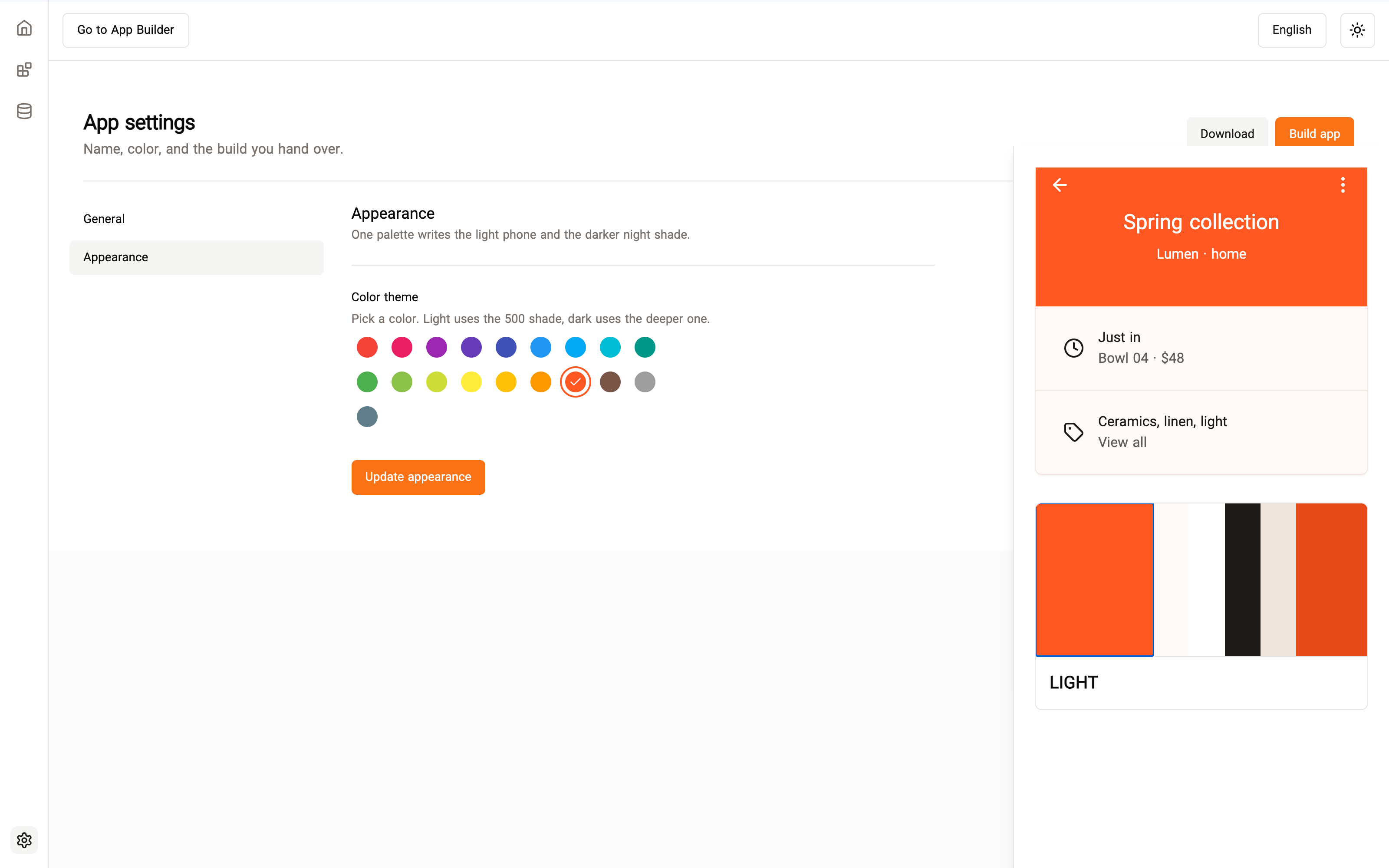
Color is one palette with two shades. Picking clay writes the light primary and the darker shade the night phone uses. The preview on the settings page is that phone, so the theme is visible before anything is built.
05 — Ship
Merge, bundle, download
Build walks the version that is allowed to ship: develop is saved, merged onto production, then bundled. Download is the other button. The file is the product a teammate can hand to a customer — no React Native install on their machine, no ticket back to engineering.
The shell around the studio was itself translated, Persian, English, and Arabic, and the canvas followed the language direction. The screens here are the English, left-to-right pass.
06 — Outcome
An afternoon, not a sprint
Screen work moved off the engineering queue. A catalog person could put a slideshow, a category row, and a product list on the home screen, name the app, and leave with a build the same day. What used to be a multi-day ticket became a sitting.
The same season I also shipped a schema-driven form builder — eleven field types, the same instinct that a document should outlive the component that draws it. The app builder is the one you can see: a phone, filling up.
Stack